For New Users
-
Complete the app’s onboarding steps.
-
Tap Measure Weight.
-
Step onto the scale with bare feet.
-
Stand still until the measurement finishes.
STEP 1: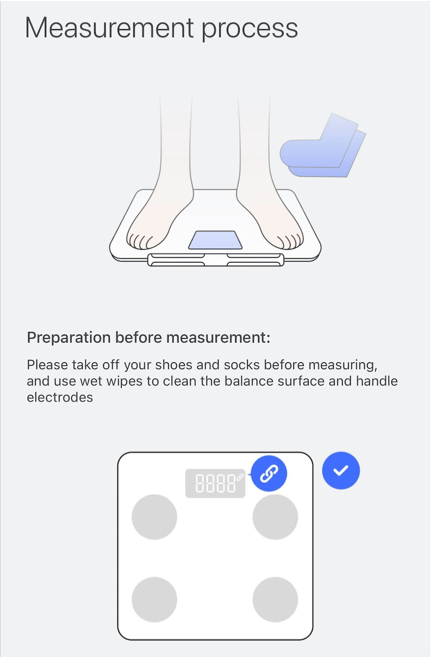
STEP 2: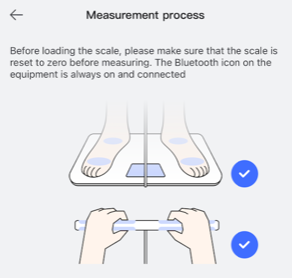
STEP 3: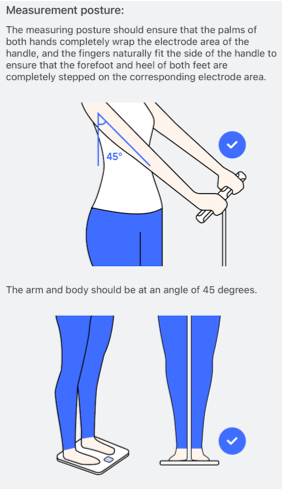
STEP 4: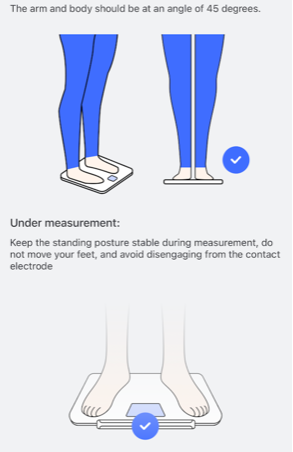
For Existing Users
-
Open the Unique Health app.
-
Tap the ( + ) button between Dashboard and Mine.
-
Start a new measurement.
If Measurement Is Incomplete
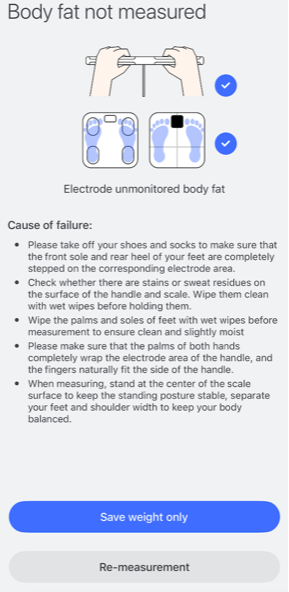
If the body composition result does not finish:
-
Make sure your feet are clean and dry
-
Stand evenly on the metal sensors
-
Stay still during measurement
-
Follow the tips shown in the app
-
Tap Re-measure and try again
Viewing Your Results
When the full body measurement is successful:
-
A confirmation message will appear
-
Your measurement report will be shown in the app
-
Results are saved automatically for future tracking
Need Help?
If you need assistance:
Email: support@herzp1.com
Phone: (877) 309-3614
When contacting support, include your order number and a short description of the issue.
Still need help? Create a support request with our customer service team and we'd be happy to help.